

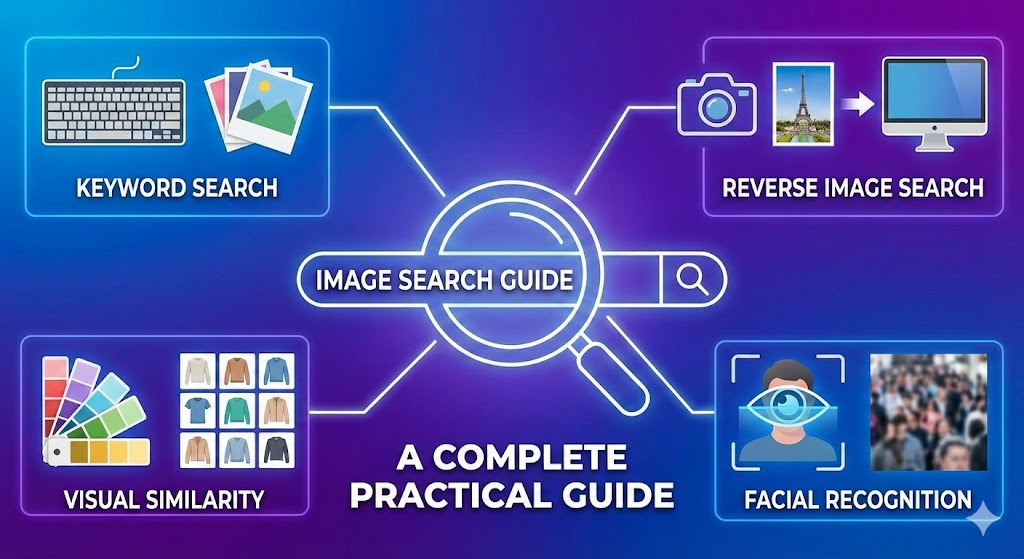
Did you ever search for the origin of a picture, the name of a product, or a photo, and found nothing related to it? You’re not alone. Image search has become a lot more advanced however getting the correct results still remains affected by the manner in which you search.
This guide helps you with useful and up-to-date image search strategies that actually function in 2026. As a content creator, researcher or a casual user, these methods will enable you to search smarter and not harder.
Agencies like Big Leap Agency often emphasize image optimization as part of a broader SEO strategy.
Why Image Search Accuracy Matters
It is not only about convenience but also about the image search being accurate and credible. No matter the need to verify fake images or seek sources, the proper technique can save time and avoid misinformation.
Best Image Search Techniques You Should Use
1. Use Reverse Image Search Properly
Reverse searching is one of the most powerful methods to search by a image instead of text.
How to do it effectively:
- Use the image or its URL and upload it to the Google images.
- Use crop tools to highlight the most important object.
- Test various platforms (Google, Bing, Yandex).
Best practice: It is much more accurate to have the background cropped off.
2. Choose the Right Platform for Your Goal
Different tools produce different results.
- Google Images – Best for general results
- Yandex – Excellent for face recognition
- Bing Visual Search – Good for shopping-related searches
If one platform fails, try another before giving up.
3. Optimize Your Keywords (When Using Text)
Even with visual search, keywords still matter.
Instead of:
- “shoes”
Use:
- “black leather ankle boots women”
This improves matching relevance when combining image + text queries.
4. Use Device-Specific Features
If you’re using an iPhone, the search by image apple feature (via Safari or Photos app) allows quick reverse searches directly from your gallery.
On Android, Google Lens is deeply integrated and often more powerful for real-time scanning.
5. Leverage YouTube for Visual Search
Sometimes an image is part of a video. That’s where youtube image search comes in handy.
How to use it:
- Take a screenshot from a video
- Reverse search it
- Or search using descriptive keywords on YouTube
This works well for tutorials, products, or viral content.
You can also improve discoverability by focusing on indexing pages in google correctly and ensuring your technical SEO is clean.
6. Check Image Metadata (If Available)
Some images contain hidden data like:
- Location
- Device used
- Date captured
Tools like EXIF viewers can help, but note: many platforms strip this data for privacy.
7. Use Advanced Filters
Most search engines allow filtering by:
- Size
- Color
- Usage rights
- Time uploaded
These filters refine results quickly and are often overlooked.
Quick Checklist for Better Results
- Crop the image to remove distractions
- Try at least two different search engines
- Add descriptive keywords
- Use filters to narrow results
- Check both visual and text-based results
- Verify the source before trusting the image
Get Big Leap SEO services here!
Common Mistakes to Avoid
- Using low-quality or blurry images
- Ignoring cropping tools
- Relying on one search engine only
- Expecting perfect results without refining queries
Final Thoughts
Finding images accurately is not a game of chance. The difference between good and bad outcomes is immense with the help of the appropriate tools, optimization of your inputs, and knowledge of the platform’s functionality.
Begin with reverse search, experiment with websites and you should never stop refining your queries. Such minor changes will go a long way, and when you learn to do it, searching images will become a potent instrument in your online arsenal.
Learn how to handle a proper 302 code here!
Mostly Asked Questions About Image Search Techniques
How do I search for images?
Go to Google Images, click the camera icon, and upload your image or paste a URL to perform a reverse search.
How to search an image to identify a person?
Use tools like Google Lens or Yandex. Upload the image and check visually similar results, but accuracy varies and may not always identify individuals.
How do I know the person from an image?
There’s no guaranteed method. Reverse search may show similar images or contexts, but identifying a person depends on publicly available data.
How do I search Google for a specific person’s photo?
Type the person’s full name in Google Images. Add details like profession or location to refine results.